Welcome to learn about our company

Leave Your Message

0%

If your trip takes you through a bunch of different countries, a universal travel adapter with USB can honestly simplify things. You know, one little gadget to charge your phone, camera, or laptop—no matter what weird wall outlet you run into. That said, “universal” doesn’t mean it fits every socket perfectly, and it definitely doesn’t guarantee max charging speed for every device. So before you pack, double-check which plug types it supports against the ones used at your destinations. It’ll save you a headache later. Honestly, it's the little things that get you. When you're looking at ports, double-check that the USB-A and USB-C ones actually match your cables. And don't just glance at the numbers—compare the stated output with what your device really needs. A USB-C port? That alone doesn't guarantee fast charging. And even if the cable fits, not every device will work with it. So yeah, the details matter.

These seven tips are all about the stuff people tend to miss—like whether the adapter actually fits your destination, how much power it can handle, voltage limits, grounding, build quality, safety info, and, you know, its physical size. Sure, a universal travel adapter changes the shape of your plug, but it doesn't magically convert voltage. That's a huge misconception. So double-check the label on your device and the adapter's specs, especially if you're plugging in something that draws a lot of power. And trust me, that last check really matters. Honestly, good product info should just tell you which plug types it supports, what the input ratings are, and what the ports can actually put out. A nice little travel pouch is a perk, sure, but it won't somehow make a wrong adapter safe. And let's be real—even the most careful traveler can overlook a tiny rating printed right next to the plug. So use the tips here to compare options without rushing, instead of picking based on looks or how many ports it has. You might still need a separate charger for some gadget, and that's way better to find out at home than huddled around a busy airport outlet.

7 Tips for Choosing a Universal Travel Adapter with USB

Identify the Plug Types and Voltage Standards at Your Destination

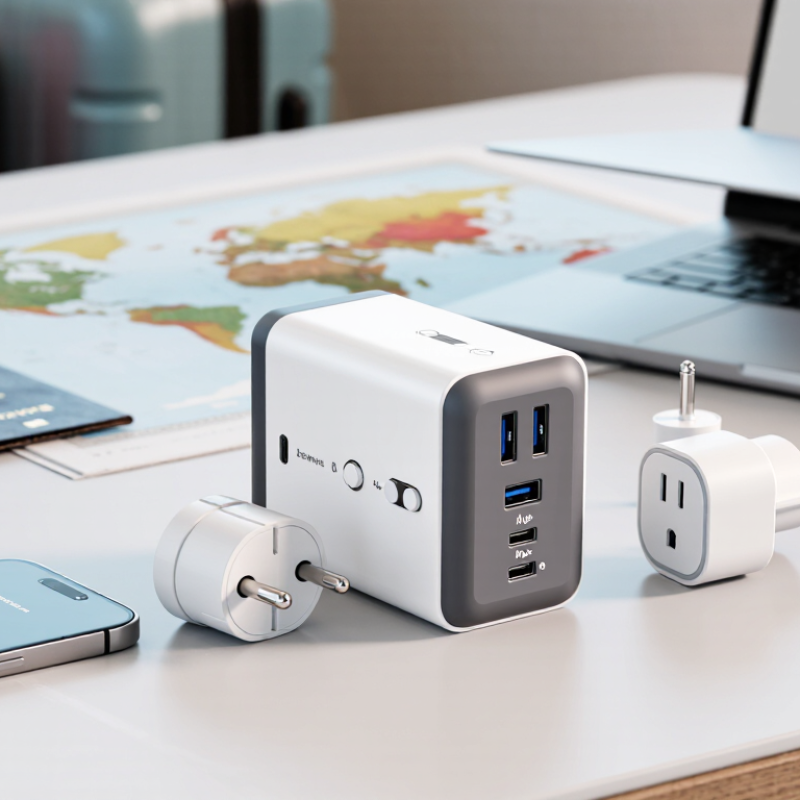
Before packing a Universal Travel Power Adapter, check the exact plug shape used at your destination. A country may use more than one socket type, especially across older buildings and newer hotels. The International Electrotechnical Commission’s World Plugs reference helps identify country-specific configurations. Compare its guidance with your hotel’s details; a plug that fits loosely is not a safe fit. Small distinction, big inconvenience.

Then check voltage. IEC 60038 lists 230 volts as a standard nominal supply voltage, but destinations and buildings can differ. Read the input label on each device: “100–240 V” usually indicates it can accept a range of voltages. A plug adapter changes the connection shape; it does not necessarily convert voltage. That detail is easy to miss. If a device lists only one voltage, verify compatibility before plugging it in. Also check the adapter’s USB output and combined power limit, particularly when charging a phone and tablet together. A neat row of USB ports can look reassuring, but the printed ratings matter more.

Check Which Countries and Outlets the Adapter Supports

A universal travel adapter is only useful if its plug shape matches your actual stops. UN Tourism’s January 2025 World Tourism Barometer reported about 1.4 billion international tourist arrivals in 2024, but travelers still face very different outlet systems. The International Electrotechnical Commission’s IEC 60083 standard documents national plug and socket-outlet configurations; “universal” does not mean every socket is covered. Check the adapter’s country list against your full itinerary, including layovers. Then compare the listed plug types with clear outlet diagrams. Small detail. Easy to miss. Some destinations use more than one socket style, especially across older and newer buildings.

Look closely at grounding, too. A two-prong adapter may not provide the earth connection required by a grounded device. If you are visiting several countries, check each one separately rather than trusting a broad regional label. I would also verify that the adapter fits securely; a loose, heavy charger can sag from a wall socket. USB ports do not change the adapter’s plug compatibility. Nor do they necessarily convert voltage.

Check the device label: an input marked “100–240 V” is designed for a wide voltage range, while other devices may need a voltage converter. Country lists can be incomplete, and that is worth admitting: confirm unusual or remote stops with a reliable outlet reference before departure.

Choose USB Ports That Match Your Devices

USB ports should match the devices you actually pack, not the number that looks impressive on a product page. Make a quick list: phone, tablet, earbuds, watch, or camera. Note which use USB-C and which still need USB-A. A 2-USB Business Travel Adapter may suit a light work trip, but only if both ports fit your cables. Check before you leave.

Port type is only part of the decision. Look for the output each device needs, especially if you plan to charge a laptop or tablet. Some adapters share power between ports, so two connected devices may charge more slowly than one. Read the stated output for simultaneous use, not just the highest single-port figure. Small detail. Big difference at an airport.

I once assumed a spare port meant faster charging. It didn’t; the shared output was the limiting factor. That’s easy to overlook when you’re packing in a hurry. If your devices use different cables, choose a port mix that avoids carrying extra converters. Also check that the adapter’s USB output supports your device’s charging requirements. A little label-reading beats discovering the mismatch beside a hotel bed.

Compare USB Charging Speeds and Power Delivery Support

When comparing USB charging speeds, check each port’s output, not just the adapter’s total wattage. A Travel Adapter with USB-C may offer fast charging on one port but slower output when several devices are connected. Look for the listed USB-C power rating, such as 20W or 30W, and compare it with your phone or tablet’s requirements. Small print matters.

Power Delivery, often marked PD, lets compatible USB-C devices negotiate a suitable charging level. It can speed up charging, but only when the adapter, cable, and device all support the needed profile. A weak cable can quietly limit performance. Check the cable rating, too. I used to focus on the biggest wattage number; that was not always useful.

Consider what you charge together. A laptop may need more power than a phone, and shared output can reduce charging speed across ports. Read the adapter’s output table to see how power changes when ports are used at once. If the details are vague, treat the advertised maximum cautiously. Also check whether the product supports your destination’s voltage range; a travel adapter does not necessarily convert voltage. That distinction is easy to miss when packing in a hurry.

Verify the Adapter’s Maximum Wattage and Device Compatibility

Check the adapter’s maximum wattage before packing it. Compare that limit with the input rating printed on your device’s charger. A phone usually needs less power than a laptop, camera, or hair dryer. If a device draws more than the adapter supports, it may charge slowly, overheat, or stop working. The tiny label can be hard to read. Use the charger’s manual if needed.

Tip: Check each device separately. Also confirm whether the adapter’s USB ports share one power limit. Two phones connected at once may receive less power than either would alone. For a laptop, verify that the USB-C output supports its required charging wattage. A matching connector does not guarantee enough power.

I once assumed a universal adapter could handle every device in my bag. That was a careless shortcut. An adapter changes the plug shape; it does not necessarily convert voltage. Check your device’s accepted input range and the destination’s power supply details. If the ratings are unclear, choose a lower-demand device or use a properly rated charger instead. Feel the adapter during early use. Warmth can be normal, but stop using it if it becomes unusually hot, smells odd, or feels loose in the socket.

Look for Essential Safety Features and Certifications

A universal adapter is a compact electrical device, not merely a travel convenience. Check for a certification mark from an independent testing body, plus a model number you can verify. The mark should apply to the adapter itself, not just its packaging. A tiny logo can look reassuring. It is not proof on its own. Look for clear input and output ratings, a built-in fuse or overload protection, and safeguards against overheating and short circuits. For plug adapters, IEC 60884-2-5 is a relevant international standard; check that the product’s documentation identifies applicable standards and approvals for your destination.

The risk is worth taking seriously. The National Fire Protection Association’s Home Electrical Fires report estimates an annual average of 32,620 U.S. home fires involving electrical distribution or lighting equipment from 2015 to 2019. That broad category does not mean travel adapters caused those fires, but it shows why sound electrical protection matters. Avoid products with loose sockets, cracked casing, or ratings that are hard to read. Small print matters. If a charger becomes unusually hot, smells odd, or makes a buzzing sound, unplug it and stop using it.

USB ports need scrutiny too. Confirm the adapter lists its USB output and total wattage, especially when several devices will be connected at once. Overload protection should cover both the wall outlet and USB circuitry. I find dense safety labels frustrating, but skipping them is a poor trade. If the seller cannot provide a manual or verifiable certification details, choose a different adapter.

7 Tips for Choosing a Universal Travel Adapter with USB - Look for Essential Safety Features and Certifications

Tip What to Check Why It Matters Practical Check
1. Match the plug to your destinations Confirm that the adapter supports the outlet types used in every destination, including any stopovers. “Universal” does not necessarily mean compatible with every socket or plug configuration. Check a reliable destination plug guide and compare its diagrams with the adapter’s supported plug types.
2. Check voltage compatibility Read the input label on each device. Many chargers accept 100–240 V, but not all appliances do. A travel plug adapter changes the plug connection; it does not convert the mains voltage. If a device is not rated for the destination’s voltage, use a suitable voltage converter or leave the device at home.
3. Verify the electrical rating Look for clearly stated maximum voltage and current, and check any separate limit for USB ports. Exceeding an adapter’s rated load can cause overheating or damage. The lowest applicable limit governs use. Add up the connected devices’ power needs and keep the total within the adapter’s stated ratings.
4. Look for essential protection features Check for a correctly rated fuse or other stated overcurrent protection, plus protective shutters where applicable. Overcurrent protection can help reduce risk from excessive current; shutters help limit access to live contacts. Read the product documentation to confirm which protections are present and follow its fuse replacement instructions.
5. Verify safety marks for the market Look for the conformity or certification marks required where the adapter is sold, and confirm the exact model in the relevant official database when available. Requirements differ by country. A CE mark is generally a manufacturer’s declaration of conformity, not by itself proof of independent certification. Check the model number, documentation, and mark against the relevant national or regional requirements; do not rely on a logo alone.
6. Match USB output to your devices Check the USB-A and USB-C output ratings, total shared output, and supported charging protocols such as USB Power Delivery if needed. USB ports may share available power, and charging speed depends on both the adapter and the device. Compare the adapter’s stated output profiles with the device’s charging requirements; do not assume every USB-C port supports the same power.
7. Choose a sturdy design and inspect it Prefer a clearly labeled, well-fitted unit with secure plug mechanisms and no exposed or loose parts. Frequent travel can put strain on moving parts, while damaged or poorly fitting adapters may make unreliable electrical contact. Before use, check for cracks, discoloration, unusual looseness, or a burning smell; stop using the adapter if any appear.

Consider Size, Durability, and Ease of Use for Travel

Tip 1: Check the size before you pack. A Universal Travel Charger should fit beside your other essentials without crowding them. Compare its dimensions with your passport pouch or a small pocket in your carry-on. Also check the plug types and electrical ratings for your destinations and devices. USB ports are useful, but their output may not suit every device. Read the specifications, not just the port count.

Tip 2: Look closely at the build. Firm prongs, a secure sliding mechanism, and a casing without loose seams can make frequent packing less stressful. If possible, test the controls before buying: they should move smoothly, not wobble. A compact adapter is handy. A tiny one that feels flimsy may not be.

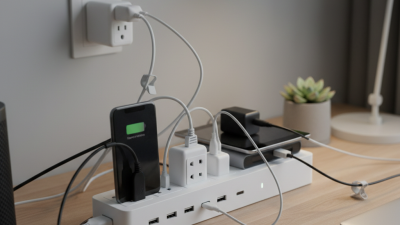
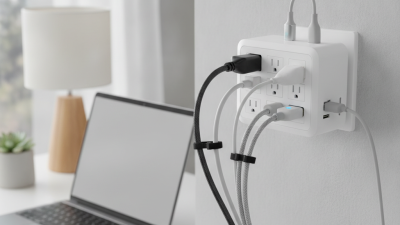
Tip 3: Choose ease of use over extra features. Clear labels help when you’re tired and unpacking in a dim hotel room. Check whether the adapter blocks nearby outlets, especially in crowded power strips. Keep cables from pulling sideways on its USB ports. I once focused too much on having more ports and overlooked their placement. That detail mattered. Small, practical checks can prevent an annoying surprise on the trip.

A Practical Guide to Multi-Function Power Strips with 3 Round and 3 Flat-Pin Sockets for Africa

Choosing a power strip for African homes and workplaces means considering the plug types used locally, the devices to be connected, and the strip’s electrical rating. The International Energy Agency’s *Africa Energy Outlook 2022* estimated that about 600 million people across Africa lacked access to electricity. A power strip cannot address gaps in supply, but where a suitable mains or backup source is available, it can make it easier to distribute power among several devices.

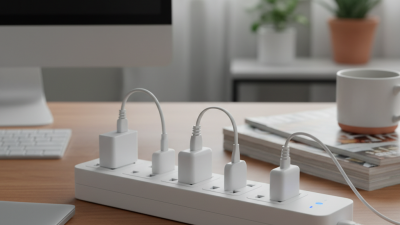
The six-outlet HK-6071 universal power strip is designed for the African market, with three round-pin sockets and three flat-pin sockets that accept compatible 2- or 3-pin plugs. Its six outlets can serve everyday equipment such as phones, laptops, office devices, and household appliances, reducing the need to switch plugs between tasks. Before buying, check the plug fit and the appliance voltage and current requirements for your country; plug configurations and electrical systems vary across the region.

For safer use, connect only devices within the strip’s stated load rating, keep it dry and unobstructed, and avoid daisy-chaining it with another strip. These checks help users make practical use of mixed socket types while keeping power distribution suited to their specific setting.

FAQS

How can I compare USB charging speeds?

Check each port’s listed output, such as 20W or 30W. The total wattage alone can mislead.

What does USB-C Power Delivery mean?

It lets compatible devices negotiate a suitable charging level. The adapter, cable, and device must all support it. All three matter.

Can several connected devices charge more slowly?

Yes. Shared power can reduce speed across ports, especially when a laptop and phone charge together. Check the output table.

Why should I check the cable rating?

A low-rated cable may limit charging, even with a capable adapter. I used to overlook this. Not a great habit.

Does a travel adapter convert voltage?

Not necessarily. Check its input range and your destination’s voltage before packing. Easy to miss.

Which safety details should an adapter show?

Look for clear input and output ratings, a verifiable certification mark, and the adapter’s model number. Packaging alone is not proof.

What protection features are useful?

Built-in fuse or overload protection can help protect the outlet and USB circuitry. Check for overheating and short-circuit safeguards.

When should I stop using an adapter?

Unplug it if it becomes unusually hot, smells odd, or buzzes. Stop using damaged units, too. Better safe.

Conclusion

Choosing the right universal travel adapter with usb starts with researching the plug types and voltage standards used at your destination. Check that the adapter supports the countries you plan to visit and fits their outlets. Then consider your devices: choose enough USB ports and the right mix for your cables, and compare charging speeds and support for power delivery if your devices can use it. A higher charging speed is only useful when the adapter and device are compatible.

Before you buy, verify the adapter’s maximum wattage and make sure it can handle the devices you intend to connect. Look for practical safety features and recognized certifications, such as overload protection and secure construction. Finally, think about how it will travel with you: a compact, durable design with clearly marked controls can be easier to pack and use. Matching coverage, charging capability, safety, and portability to your trip helps you choose an adapter that suits your needs.

Maxwell

Maxwell

Maxwell is a dedicated marketing professional at Jiangmen Heikki Technology Co., Ltd., a leading manufacturer with over 30 years of expertise in power strips and adapters. With a profound understanding of the company's innovative product line, Maxwell excels in crafting engaging and informative......
Previous Top 10 Extension Socket Suppliers for Global Buyers