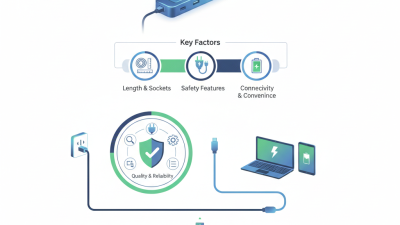
Choosing a multi plug adapter extension for 2026 requires more than counting sockets. A safe choice should match your devices, room layout, and daily habits. It should also handle changing technology, including laptops, tablets, lamps, chargers, and smart home equipment. The best option is not always the one with the most outlets.
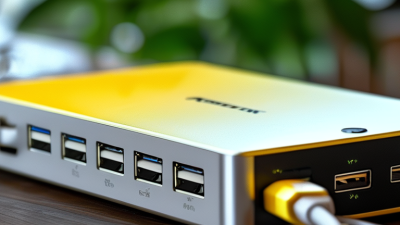
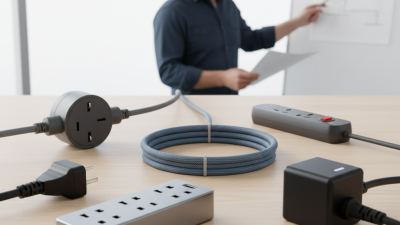
In practical use, check the adapter’s rated power, cable length, plug design, and socket spacing. A short cable may suit a bedside table but fail behind a desk. Wide chargers can block nearby outlets, especially on compact models. Look for overload protection, heat-resistant materials, child-safety features, and clear product labeling. USB-C ports are useful for modern devices, while standard USB-A ports still support older accessories. A Multi-Way T-Adapter with USB Ports can save space, but its compact shape may become unstable on a crowded wall socket.
Testing products in real rooms reveals details that packaging often misses. For example, a heavy power brick can pull a lightweight extension downward. That small weakness matters. I have also found that USB charging speed varies between models, even when their labels appear similar. Buyers should verify independent test results and manufacturer specifications before purchasing. Trusted brands such as Belkin, Anker, and Brennenstuhl publish clearer technical information, although no brand is perfect.
Think about tomorrow’s devices, too. A reliable multi plug adapter extension should support your present setup without encouraging unsafe connections. Avoid plugging one extension into another. Keep high-power appliances within the product’s stated limits. The right choice balances convenience, protection, durability, and honest performance. That balance takes careful comparison.
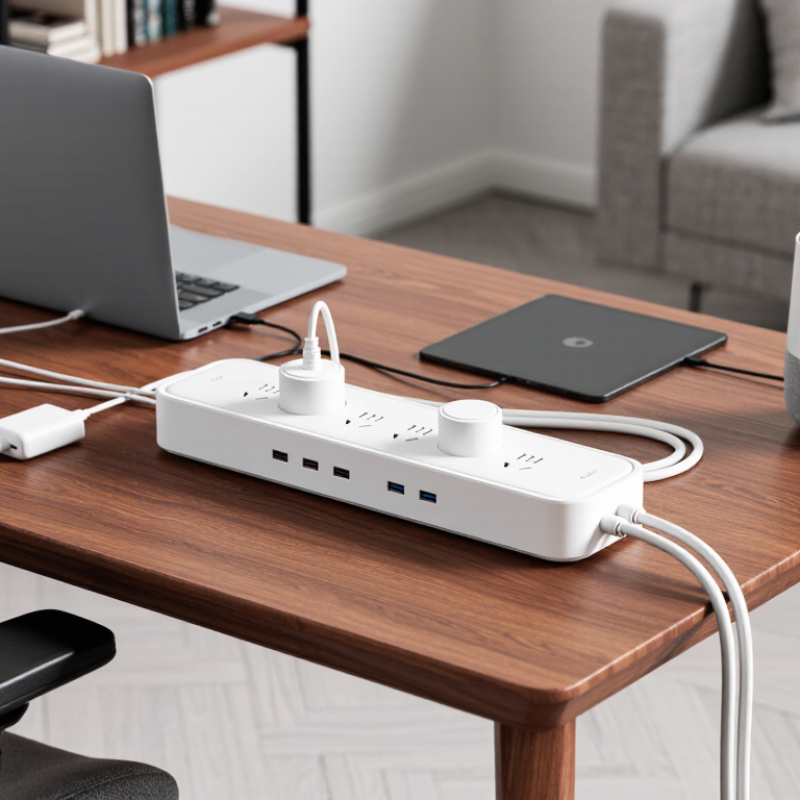
A multi plug adapter extension combines several electrical outlets with an extended cable. It lets one wall socket power multiple devices from a practical distance. Unlike a simple plug splitter, it usually includes a flexible cord, a molded plug, and a compact outlet housing. Some models also include USB charging ports, switches, overload protection, or surge control.
In daily use, place it beside a desk, bedside table, or workshop bench. A longer cable can prevent strained plugs and awkward connections behind furniture. Check the rated voltage, maximum wattage, cable thickness, and plug shape before buying. The total load must stay within the stated limit. A heater, kettle, or other high-power appliance can quickly consume most of that capacity. This detail is easy to overlook.
Inspect the casing for cracks and check that sockets hold plugs firmly. Loose connections may create heat. Keep the adapter dry, uncovered, and away from crushed cable sections. I prefer spaced outlets because bulky chargers often block neighboring sockets. However, more outlets do not automatically mean better performance. A model with too many features can become difficult to understand. I still question whether built-in USB ports are useful when charging standards change quickly. Clear markings and dependable protection matter more than impressive outlet counts.
Choosing a multi plug adapter extension starts with measuring your real power and device requirements. Count every device used at the same time, not every device in the room. Record each wattage from its label, then add the totals. A laptop, monitor, desk lamp, and small heater can exceed expectations quickly. Watts equal volts multiplied by amps, so check both ratings before buying.
Leave practical headroom, ideally 20–30% below the adapter’s maximum load. The U.S. Department of Energy reports that standby power can represent 5–10% of residential electricity use, so connected chargers still matter over time. The International Energy Agency also reported roughly 4% global electricity-demand growth in 2024, making efficient household choices more relevant. These figures do not determine your adapter size, but they encourage more careful consumption.
Match the adapter’s voltage, frequency, grounding, and plug configuration to your location. High-load appliances need special caution. Never connect heaters, kettles, or cooking equipment casually through a low-rated extension. Safety guidance from Electrical Safety First repeatedly warns against overloading extension leads and joining them together. I used to judge an adapter by socket count. That was convenient, but incomplete. A compact four-socket unit may be safer than a crowded ten-socket model when its load rating, cable thickness, and protection features are clearer. Check the label twice.
Choosing a Multi-socket / Multi-plug adapter extension for 2026 starts with compatibility, not socket count. Plug shapes differ across regions, and a matching fit does not guarantee safe operation. Compare the wall plug, outlet layout, grounding contact, and cable insulation before buying. I check each device label first, especially chargers, kettles, heaters, and hair tools. Small chargers are forgiving. Heating appliances are not.
Voltage is the next checkpoint. An adapter changes plug geometry, but it usually does not convert voltage. A device rated only for 120 V can be damaged on a 230 V supply. Look for an input range, such as 100–240 V, on the device label.
Then compare the adapter’s maximum voltage with the local supply. I prefer clear markings, though I have trusted a faded label too quickly. That was a poor habit.
Current ratings need practical math. Multiply voltage by amperage to estimate power, then add the connected loads. A 10 A, 250 V adapter may support 2,500 W in theory, but heat, cable length, and continuous use reduce comfortable margins.
Never exceed the lowest rating among the plug, cable, socket, or fuse. Leave unused sockets clear. Feel the housing after several minutes. Warm is a warning, not reassurance. Choose overload protection and a resettable breaker when available, and inspect loose contacts before every serious load.
How to Choose a Multi Plug Adapter Extension for 2026?
When I assess a multi plug adapter extension, I begin with its safety labels. The plug should show its rated voltage, maximum current, and power limit clearly. These details must match the supply used in your home or workplace. A vague label is a warning sign. Look for a traceable certification mark approved for your destination market. The mark should connect to a certificate number, testing body, or official database record. A printed symbol alone proves very little.
Examine the construction closely. Firm sockets, insulated contacts, strain relief, and a strong cable reduce everyday risks. Overload protection can disconnect power when connected devices demand too much. Thermal protection may help prevent excessive heat inside the housing. Surge protection is different and does not replace overload protection. If the unit includes grounding, check that the grounding path is continuous and suitable for the outlet. I once focused too much on socket quantity and ignored cable thickness. That was a useful mistake.
Tips: Avoid adapters with loose sockets, crushed cables, or burning smells. Do not exceed the stated wattage. Keep high-power heaters separate. For an International Plug Adapter, confirm both the plug shape and certification requirements before travel. Photograph the label before buying if details look unclear. Certification systems vary, so verify unfamiliar marks through an official source. A lower price can be attractive, but missing documentation deserves caution.
| Assessment Dimension | What to Check | Preferred Evidence or Benchmark | Why It Matters | Rating |
|---|---|---|---|---|
| Rated Voltage | Confirm that the adapter voltage rating matches the electrical system where it will be used. | The marked voltage should be suitable for the destination country, commonly 120 V or 220–240 V AC. | Using equipment outside its rated voltage range can cause overheating, malfunction, or electric shock. | Essential |
| Current and Power Capacity | Check the maximum current in amperes and maximum power in watts printed on the product or packaging. | Choose a rating that is higher than the combined continuous load. For reference, 10 A at 230 V equals approximately 2,300 W. | Overloading is a common cause of excessive heat, melted plastic, and fire. | Essential |
| Overload Protection | Look for a resettable circuit breaker or a clearly specified overcurrent protection device. | The protection device should interrupt excessive current and be matched to the product's rated load. | It reduces the chance that sustained overload will damage the cable or internal contacts. | Highly Recommended |
| Grounding and Earthing | For grounded equipment, verify that the adapter provides a continuous protective earth connection. | Use a grounded configuration where required; do not remove or defeat the earth connection. | Protective earthing helps reduce shock risk if an appliance develops an insulation fault. | Essential for Class I Loads |
| Shuttered Socket Contacts | Check whether live socket openings are protected by internal shutters. | Shutters should open only when the correct plug pins are inserted together. | They help prevent accidental contact with live parts, particularly in homes with children. | Recommended |
| Plug and Socket Fit | Inspect whether plugs fit firmly without looseness, forced insertion, or exposed live pins. | The adapter should accept only compatible plug types and should not require mechanical modification. | Poor contact increases resistance and can create localized heating or arcing. | Essential |
| Cable Size and Flexibility | Review the conductor cross-sectional area, cable type, length, and temperature rating. | The cable marking should identify its rated voltage, current, conductor size, and applicable standard. | A correctly sized cable limits voltage drop and prevents excessive conductor temperature. | Essential |
| Strain Relief | Check that the cable entry is securely clamped and cannot be pulled directly against internal terminals. | A molded or mechanically secured strain-relief section should be present at cable exits. | It protects internal connections from flexing, pulling, and conductor breakage. | Highly Recommended |
| Heat and Flame Resistance | Look for enclosure and insulation materials specified as suitable for electrical use and abnormal heat conditions. | The product documentation should reference applicable thermal, dielectric, and abnormal-operation tests. | Heat-resistant materials help slow ignition and limit damage during faults or overloads. | Essential |
| Switch Design | If a switch is included, check whether it disconnects the intended circuit and has a clear on/off position. | A switch should have a stated current rating equal to or greater than the adapter rating. | An unsuitable switch can overheat, weld closed, or fail to isolate the circuit. | Useful Feature |
| Surge Protection Claims | Do not rely only on wording such as “surge protected”; check the specified standard, clamping voltage, and energy rating. | The documentation should state the applicable surge-protection requirements and test conditions. | A surge feature does not increase the adapter's continuous load capacity or replace overcurrent protection. | Optional |
| Ingress Protection | For garages, workshops, or outdoor locations, check the IP code and the manufacturer's permitted-use conditions. | Use only a product with an IP rating appropriate to the expected dust or water exposure; indoor-only products should remain indoors. | Moisture and conductive dust can increase shock, short-circuit, and corrosion risks. | Use-Dependent |
| Applicable Product Standard | Identify the safety standard printed on the product, packaging, or declaration of conformity. | Common examples include IEC 60884-1 for household plugs and socket-outlets, IEC 60884-2-7 for cord extension sets, and UL 1363 or UL 817 for applicable North American products. | A relevant standard indicates that the product category has defined construction and testing requirements. | Essential |
| Certification Mark | Check that the mark is applicable to the exact product model and market, not merely printed as decorative artwork. | Verify the mark through the issuing certification body's public database or official conformity documentation. | A verifiable mark provides stronger evidence than an unverified logo or a generic “approved” statement. | Essential |
| CE Marking or Regional Compliance | For products sold in regions requiring it, check the CE marking and the accompanying EU Declaration of Conformity. | The declaration should identify the product, applicable directives or regulations, relevant standards, and responsible economic operator. | CE marking is a manufacturer's declaration of conformity; it should not be treated as proof of independent third-party certification by itself. | Verify Carefully |
| Markings and Traceability | Look for the model number, rated voltage, current, frequency, manufacturer or responsible operator details, and production information. | Markings should be durable, legible, and consistent across the product, packaging, and technical documents. | Traceability supports recalls, warranty claims, and verification of the exact tested configuration. | Essential |
| Physical Condition | Reject products with cracked housings, bent pins, loose sockets, exposed conductors, scorch marks, or damaged insulation. | The adapter should be intact, clean, dry, and free from signs of overheating or unauthorized repair. | Visible damage can compromise insulation, contact pressure, and mechanical protection. | Do Not Compromise |
| Intended Use and Placement | Confirm whether the product is intended for indoor, outdoor, temporary, or permanent use, and keep ventilation openings unobstructed. | Do not connect one extension adapter to another, cover the adapter with fabric, or use it in wet areas unless specifically designed for that environment. | Correct placement reduces heat accumulation, mechanical stress, moisture exposure, and accidental misuse. | Essential |
How to Choose a Multi Plug Adapter Extension for 2026?
Choosing a multi plug adapter extension starts with cord length, not socket count. Measure the distance from the wall outlet to your working area. Add a small margin for movement, but avoid excessive cable lying across the floor. My first choice was too short, and the adapter pulled sideways whenever I moved a lamp. A cord between 1.5 and 3 meters suits many desks and bedside setups. Longer cords may create tangles and extra trip hazards.
Port layout affects daily convenience. Place larger plugs beside smaller ones, not in a tight row. A bulky power brick can block two neighboring sockets. Look for spaced outlets, angled ports, and clearly separated USB connections. USB-C ports are useful for newer devices, but check their total output rating. Charging several devices may reduce speed. That detail is easy to miss.
Build quality deserves close inspection. Choose a firm housing, flexible strain relief, and cable insulation without sharp seams. A heavier unit can feel more stable, although weight alone proves little. Check the rated voltage, maximum load, grounding design, and safety markings from recognized testing bodies. Do not rely on attractive plastic or unusually low prices. I once trusted a thick-looking case that flexed near the cable entry. It worked, but that weakness changed my buying habits. Keep the adapter ventilated and replace it when cracks, heat damage, or loose sockets appear.
Compare cord length, port layout, and build quality for common home and workspace applications.
The chart uses a practical selection score from 0 to 100 based on everyday requirements: shorter cords suit bedside use, medium lengths work well for desks, and longer cords help reach media or workshop areas. More outlets improve expandability, while grounded outlets, overload protection, heat-resistant materials, and a sturdy housing contribute to build quality. Always verify the rated voltage, current, and safety certification for your region.
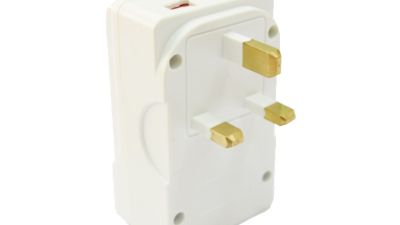
Choosing a multi plug adapter extension starts with the setting, not the socket count. For travel, check plug shape, voltage, frequency, and luggage size. A UK 3 Pin Plug Adapter fits British sockets, but it does not convert voltage. Confirm your device rating before connecting it. The IATA 2024 passenger forecast expected more than 4.7 billion air travelers, so compact and durable designs matter. Choose a grounded adapter with a protective cover and a short cable. It should fit firmly without stressing the wall socket.
At home, select enough outlets for lamps, chargers, and small appliances. Look for overload protection and a clearly marked maximum load. The International Energy Agency’s 4E analysis reports that standby power can represent 5–10% of household electricity use. A switched adapter can reduce unnecessary consumption. In an office, prioritize spacing between outlets, USB-C power delivery, and a cable long enough to reach a desk safely. Match USB output with your laptop or tablet requirements. Avoid choosing only by outlet quantity. I once bought a compact model that became awkward beside large chargers. That was careless. Measure the space first, and check certification against relevant standards such as BS 1363 or IEC 60884-1.
Before buying, match the adapter’s plug shape with your wall socket and destination socket. Check voltage, frequency, and maximum current on both devices. Voltage matters most. A mismatch can damage equipment or create dangerous heat. Confirm whether your appliances require grounding, especially kettles, heaters, monitors, or workshop tools. A two-pin adapter cannot replace a grounded connection.
Read the product label and instruction manual, not only the online description. Compare the total wattage of every device used together. Add a safety margin instead of reaching the stated maximum. Inspect cable length, wire thickness, socket spacing, and child-safety shutters. A compact model may block nearby outlets. I once overlooked this and needed an extra extension, which made the setup messier. That was poor planning.
A Plug Adapter with LED Indicator can show that power is reaching the unit, but the light does not confirm safe grounding or correct voltage. Test the adapter with one low-power device before connecting several appliances. Watch for warmth, buzzing, flickering, loose plugs, or a burning smell. Stop using it if any appear. Check whether the adapter suits indoor or outdoor conditions, depending on its stated rating. Local electrical guidance and recognized certification marks can provide additional confidence. My checklist is useful, but it is not perfect; unusual equipment still deserves advice from a qualified electrician.
Choosing a compact universal travel adapter with dual USB ports is increasingly practical as international travel rebounds. The International Air Transport Association (IATA) forecast approximately 4.7 billion air travelers in 2024, highlighting the need for lightweight, globally compatible charging equipment. A suitable adapter should support EU, UK, US, and AU plug standards, covering more than 150 countries, including China. This eliminates the need to pack several regional adapters and makes it easier to stay connected during business trips, holidays, and overseas study.
Charging capacity is another important consideration. Two USB-A ports with a combined 5V/2.1A output can charge phones, earbuds, smartwatches, and other small devices simultaneously, while the universal AC socket can power a laptop, hair dryer, or other small appliance. For travelers carrying multiple electronics, this combination saves luggage space and reduces the number of chargers needed. However, users should confirm that their devices support the local voltage, because a travel adapter changes plug compatibility rather than converting voltage.
For worldwide use, look for an adapter rated for 110–240V and 50/60Hz power systems. Its portability also matters: a 45g design measuring approximately 70 × 45 × 30mm can fit easily into a pouch, purse, or backpack. The Global E-waste Monitor 2024 reports that 62 million tonnes of electronic waste were generated worldwide in 2022, so choosing one durable, multifunctional adapter instead of several separate accessories can also help reduce unnecessary electronic purchases.
Measure from the wall outlet to your desk or bedside table. Add a small movement margin. A 1.5–3 meter cord suits many setups. Avoid excess cable across the floor. Measure twice.
Large power bricks can block nearby sockets. Choose spaced or angled outlets. Keep larger plugs beside smaller ones. Clearly separated charging ports improve daily use.
No. Check the total output rating. Charging several devices may reduce speed. A port can look modern but perform modestly. Check the numbers.
Look for firm housing, flexible strain relief, and smooth cable insulation. Avoid sharp seams or loose sockets. Weight may improve stability, but it proves little.
Match the plug shape with both socket types. Compare voltage, frequency, and maximum current. Voltage mismatches can damage equipment or create dangerous heat.
Grounding matters for kettles, heaters, monitors, and workshop tools. A two-pin adapter cannot replace a grounded connection. Check the appliance requirements carefully.
Add the wattage of every connected device. Stay below the adapter’s maximum load. Leave a safety margin. Do not test the limit with several heaters.
Stop after buzzing, flickering, unusual warmth, burning smells, cracks, or loose sockets. Keep the unit ventilated. An indicator light shows power, not safe grounding. My checklist helps, but it is not perfect. Unusual equipment may need qualified advice.
Choosing the right multi plug adapter extension for 2026 starts with understanding how it expands access to power for several devices while maintaining safe and organized use. Begin by listing the devices you plan to connect, their plug shapes, voltage needs, wattage, and current requirements. Compare compatible plug types and confirm that the adapter’s voltage and current ratings meet or exceed your equipment’s demands. Safety should also be a priority, so look for suitable protection features and recognized certification marks.
Next, consider the cord length, socket arrangement, spacing, materials, and overall build quality. A compact design may suit travel, while a longer cord and wider layout can be more practical for home or office use. Before purchasing or connecting anything, check regional compatibility, device specifications, grounding requirements, and the adapter’s maximum load. Careful selection helps reduce clutter, prevent overloads, and provide dependable power for everyday electronics.